What Is a Presentation Outline?
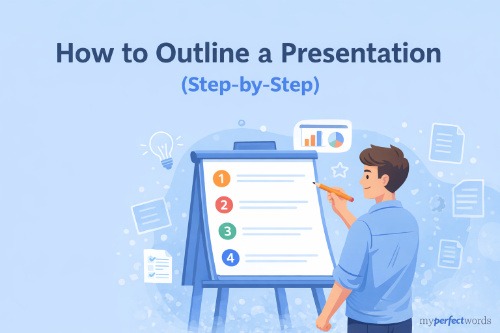
A presentation outline is a written plan that maps the structure, key points, and flow of your presentation before you build any slides.
It's not your script. It's not your speaker notes. It's the skeleton of your whole talk, a simple document that shows you what goes where and why. Think of it as the skeleton; slides are just the skin.
Most people skip this step and go straight to PowerPoint. That's exactly why so many presentations feel scattered. The slides look fine, but the ideas don't connect.
Why Outlining First Actually Saves You Time
It sounds counterintuitive. You've already got a deadline coming up, and now you're supposed to stop and make another document before you even start on slides?
Here's the thing: the 20 minutes you spend outlining will save you hours of confused slide-shuffling later.
It forces clarity on your main point. When you have to write down your goal in one sentence, you quickly find out whether you actually know what you're trying to say. Most people don't, until they try to write it down.
It prevents the "why did I include this?" moment mid-slide. You know the feeling. You're halfway through building your deck and you've got a slide that sort of fits but not really. An outline catches those dead-end ideas before they become dead-end slides.
It gives you something to rehearse from before slides exist. If you can talk through your outline and it makes sense, your presentation will make sense. If you can't, you know exactly where to fix it, before you've spent hours on design.
How to Outline a Presentation in 5 Steps
Step 1: Define Your Goal in One Sentence
Before anything else, finish this sentence: "After my presentation, my audience will ___."
That blank needs a verb. Not "understand," that's too vague. Try "know the three reasons why," "want to sign up for," or "be able to calculate."
A clear goal shapes every decision you make about what to include and what to cut. If a point doesn't help you reach that goal, it doesn't belong in the outline.
Step 2: Know Your Audience (in 30 Seconds)
You don't need a full audience analysis here. You just need two quick answers:
- What do they already know about this topic?
- What do they actually care about?
The answer to the first question tells you how much background to give. The answer to the second tells you how to frame your points. A group of professors needs a different presentation than a group of first-year students, even if the topic is the same.
Step 3: Choose Your Structure
There are three structures that cover most presentations:
Classic (Intro – Body – Conclusion): The most common and reliable structure. Works for almost any topic. Use this when you're not sure what else to use.
Problem/Solution: Open by naming a real problem your audience has, then present your content as the solution. This is your best option for persuasive presentations, debates, pitches, and advocacy.
Chronological: Walk through events or steps in the order they happen. Best for stories, project timelines, and process walkthroughs.
You can also combine them. A lot of strong class presentations use a Classic structure with a Problem/Solution arc inside the body. When in doubt, go Classic; it works, and your professor has seen it a thousand times for good reason.
For more on how to make a PowerPoint presentation once your outline is locked, the full guide on how to make a PowerPoint presentation covers everything from structure to slide design.
Step 4: Map Out Your Main Points
This is the core of your outline. Keep it to three to five main points. Not six, not seven, three to five. Any more and you'll run over time, and your audience will remember nothing.
For each main point, work through three things:
- The claim: What's the point, in one sentence?
- The support: What evidence, example, or explanation backs it up?
- The transition: How does this connect to the next point?
That last one matters more than people realize. Transitions are what keep a presentation from feeling like a list of disconnected ideas. A simple "Now that we know X, let's talk about how Y changes that" is all you need.
Run each point through the "so what?" test. If you can't answer why the audience should care about a point, cut it or rework it until you can. |
If you haven't locked in your topic yet, it helps to read through PowerPoint presentation topics before you get to this step. Choosing your presentation topic first makes the outlining process a lot faster.
Need a Presentation Written for You?
We handle the outline, the slides, and everything in between.
Rated 4.9/5 by thousands of students.
Step 5: Write Your Intro and Conclusion Last
Yes, last. Your intro and conclusion only work well once you know exactly what's in your body. Here's what goes in each:
Strong intro:
- A hook (a question, a surprising stat, or a quick story)
- Your thesis: the main message in one sentence
- A roadmap: "Today I'll cover [Point 1], [Point 2], and [Point 3]"
Strong conclusion:
- A brief summary of your three to five points
- The one thing you want them to remember
- A close: a call to action, a question, or a memorable final line
For a deeper look at ending your talk effectively, check out how to end a presentation. It covers closings in much more detail than we will here.
Presentation Outline Template (Copy and Use This)
Don't download anything. Don't look for a PDF. Here's a clean, ready-to-use template you can copy right now:
PRESENTATION TITLE:
GOAL: After this presentation, my audience will ___
AUDIENCE: Who are they? What do they know?
STRUCTURE: [Classic / Problem-Solution / Chronological]
INTRODUCTION (~1-2 min)
- Hook (question / stat / story)
- Thesis: Main message in one sentence
- Roadmap: "Today I'll cover [Point 1], [Point 2], and [Point 3]"
BODY
MAIN POINT 1: _______________
Supporting detail: _______________
Transition: _______________
MAIN POINT 2: _______________
Supporting detail: _______________
Transition: _______________
MAIN POINT 3: _______________
Supporting detail: _______________
Transition: _______________
III. CONCLUSION (~1-2 min)
- Summary: Restate each main point briefly
- Takeaway: The one thing to remember
- Close: Call to action / question / memorable line
Fill in the blanks before you open any presentation software. Once your outline makes sense on paper, building the slides goes fast.
If you want to see how finished presentations look before you start, it's worth glancing at PowerPoint presentation examples for some reference.
Common Outlining Mistakes (And How to Avoid Them)
- Too many main points. If your outline has six or seven body sections, you're writing a course, not a presentation. Cut until you have five or fewer. Your audience will thank you.
- Burying your main message. Your thesis belongs in your intro. If you're saving the big idea for the end as a "reveal," most of your audience will be lost before you get there.
- Writing full paragraphs in your outline. Your outline isn't your script. Keep it to bullet points and short phrases. If you're writing full sentences, you're drafting, not outlining.
- Skipping the goal-setting step. It feels obvious, but most people skip it. If you don't know what your presentation is supposed to accomplish, your audience won't either.
- Building slides first, outlining second. This is the single biggest mistake. Slides are packaging. You can't design the packaging until you know what's inside.
Let Us Build Your Presentation From Scratch
From outline to finished slides, we take care of everything.
- Custom-built to your topic, audience, and deadline
- Rush delivery available, get it in 3 hours
- Fully human-written with zero AI content
- Includes unlimited revisions
Trusted by countless students. 100% confidential.
Place Your Order