What is Python?
Python is a general-purpose programming language created by Guido van Rossum and released in 1991. The design goal was simple: make code that reads almost like plain English. That goal stuck.
Where most languages use curly braces {} to define code blocks, Python uses indentation. Where other languages require you to declare variable types, Python figures it out. The result is code that's shorter, cleaner, and easier to read on your first attempt.
Here's what Python is actually used for in the real world:
- Web development with frameworks like Django and Flask
- Data science and analytics with pandas and NumPy
- Machine learning and AI with TensorFlow and scikit-learn
- Automation and scripting for repetitive tasks
- Cybersecurity and penetration testing
Think of it this way: other languages give you GPS coordinates. Python lets you say "turn left at the coffee shop." The instructions make more sense because they're closer to how humans think.
To get started, download Python from python.org. The installation takes about two minutes, and you're ready to go.
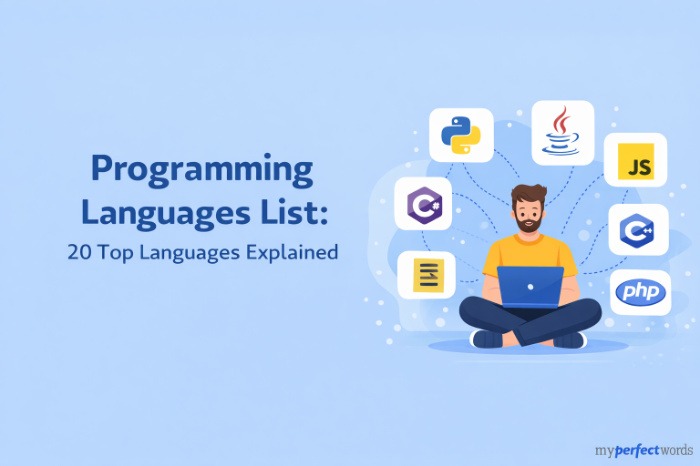
If you're curious how Python compares to other options, our programming languages list breaks down the differences.
Python Variables and Data Types
Variables
A variable is a named container that holds a value. Think of it like a labeled box. You put something inside, give the box a name, and you can open it anytime you need what's in it.
Creating a variable in Python doesn't require a special keyword. You just write the name, an equals sign, and the value:
name = "Alex"
age = 20
gpa = 3.8
is_enrolled = True
A few naming rules to keep in mind:
- Use lowercase letters and underscores (no spaces)
- Can't start with a number
- Variables are case-sensitive: Name and name are two different variables
That's it. No declarations, no type specifications. Python handles the rest.
Data Types
Every value in Python has a type. The four types you'll use constantly as a beginner are:
Type | What it holds | Example |
int | Whole numbers | age = 20 |
float | Decimal numbers | gpa = 3.8 |
str | Text (strings) | name = "Alex" |
bool | True or False | is_enrolled = True |
Here's how to check what type a value is:
print(type(age)) # <class 'int'>
print(type(gpa)) # <class 'float'>
print(type(name)) # <class 'str'>
print(type(is_enrolled)) # <class 'bool'>
The type() function tells you exactly what you're working with. That's useful when something isn't behaving the way you expect.
You can also convert between types when you need to:
# Convert string to integer
score = int("85")
# Convert integer to string
label = str(42)
Type conversion comes up often, especially when you're reading input from a user or a file.
Python Operators
Arithmetic Operators
These are the math operators. Most are obvious, but a few have quirks worth knowing:
a = 10
b = 3
print(a + b) # 13 – addition
print(a - b) # 7 – subtraction
print(a * b) # 30 – multiplication
print(a / b) # 3.3333... – division (always returns float)
print(a // b) # 3 – floor division (integer, rounds down)
print(a % b) # 1 – modulus (remainder)
print(a ** b) # 1000 – exponentiation (10 to the power of 3)
The gotcha beginners run into: / always returns a float in Python 3, even if the answer is a whole number. 10/2 gives you 5.0, not 5. Use // when you need an integer result.
Comparison Operators
Comparison operators check a relationship between two values and return True or False:
x = 10
y = 5
print(x == y) # False – equal to
print(x != y) # True – not equal to
print(x > y) # True – greater than
print(x < y) # False – less than
print(x >= 10) # True – greater than or equal
print(x <= 9) # False – less than or equal
The most common mistake beginners make: using = when they mean ==. A single = assigns a value. A double == checks if two values are equal. They're completely different.
Logical Operators
Logical operators combine conditions:
age = 20
has_id = True
# and – both conditions must be True
print(age >= 18 and has_id) # True
# or – at least one condition must be True
print(age < 18 or has_id) # True
# not – flips True to False, and vice versa
print(not has_id) # False
Plain English translation: and means "both things are true," or means "at least one is true," not means "the opposite."
Control Flow in Python
IF Statements
IF statements let your code make decisions. When a condition is True, one block of code runs. When it's False, a different block runs (or nothing does).
grade = 85
if grade >= 90:
print("A")
elif grade >= 80:
print("B")
elif grade >= 70:
print("C")
else:
print("Below C")
Output: B
Notice how each code block is indented. That's Python's way of saying "this code belongs to this condition." No curly braces. Just consistent indentation. If your indentation is off, Python throws an error, which is actually helpful. It forces clean, readable code.
The structure is:
- if: the first condition to check
- elif: additional conditions (short for "else if")
- else: what to do if nothing above matched
FOR Loops
A FOR loop repeats a block of code for each item in a sequence:
students = ["Alex", "Jamie", "Sam"] for student in students: print(f"Hello, {student}!") Output: Hello, Alex! Hello, Jamie! Hello, Sam!
The variable student takes on each value in the list one at a time. When there are no more items, the loop ends.
Need to loop a specific number of times? Use range():
for i in range(5):
print(i)
# Prints 0, 1, 2, 3, 4
range(5) generates numbers from 0 up to (but not including) 5. It's one of Python's most-used built-in functions.
WHILE Loops
A WHILE loop keeps running as long as a condition stays True:
count = 0
while count < 3:
print(f"Count is {count}")
count += 1
print("Done")
Output:
Count is 0
Count is 1
Count is 2
Done
The critical thing with WHILE loops: always make sure the condition will eventually become False. If it never does, you've got an infinite loop. Your program runs forever until you force it to stop.
Use break to exit a loop early, and continue to skip the rest of the current iteration and move to the next one.
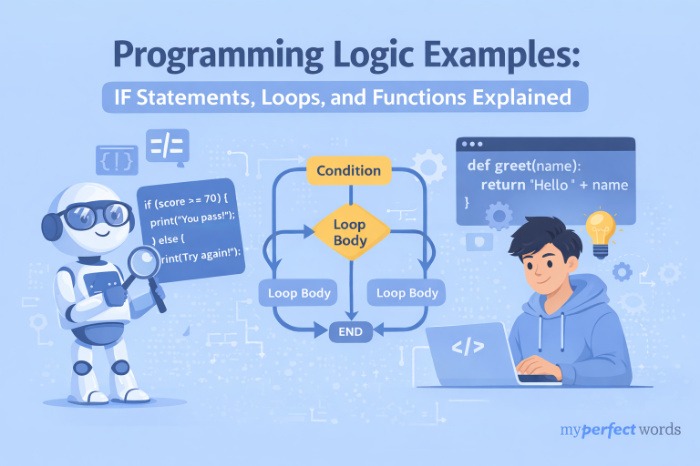
For a deeper look at how logic patterns work across programming languages, see our guide to programming logic examples.
If you've got a Python assignment due and you're running short on time, here's where to go.
Need Your Programming Assignment Done?
Our expert writers handle Python assignments from beginner to advanced level.
Countless students helped since 2010. Order yours today.
Python Functions
A function is a reusable block of code with a name. Think of it like a recipe: you write it once, and then you can use it whenever you need it, as many times as you want, without rewriting the steps.
You create a function with the def keyword:
def greet(name):
return f"Hello, {name}!"
print(greet("Alex")) # Hello, Alex!
print(greet("Jamie")) # Hello, Jamie!
Breaking this down:
- def tells Python you're defining a function
- greetis the function name
- name is a parameter, a placeholder for the value you'll pass in
- return sends a value back to wherever the function was called
The difference between parameters and arguments: a parameter is the variable in the function definition (name). An argument is the actual value you pass in when you call the function ("Alex").
You can give parameters default values, so calling the function without an argument still works:
def greet(name="friend"):
return f"Hello, {name}!"
print(greet()) # Hello, friend!
print(greet("Sam")) # Hello, Sam!
When no argument is passed, name falls back to "friend". That default can be overridden by passing something in.
| Functions matter for three reasons: they prevent you from repeating code, they make programs easier to debug (one fix in one place), and they make your code readable enough that another person can understand what's happening. |
A Complete Python Mini-Program
Here's everything covered in this article working together in a single program. Read through it before running it. You'll recognize every piece.
# Student Grade Report
def get_letter_grade(score):
if score >= 90:
return "A"
elif score >= 80:
return "B"
elif score >= 70:
return "C"
else:
return "F"
students = [("Alex", 92), ("Jamie", 78), ("Sam", 85)]
for name, score in students:
grade = get_letter_grade(score)
print(f"{name}: {score} - Grade: {grade}")
Output:
Alex: 92 – Grade: A
Jamie: 78 – Grade: C
Sam: 85 – Grade: B
What's happening line by line:
- def get_letter_grade(score): defines a function that takes a score and returns a letter
- if/elif/else block inside the function checks the score and picks the grade
- students is a list of tuples, each holding a name and a score
- for name, score in students: loops through the list, unpacking each tuple into two variables
- get_letter_grade(score) calls the function with the score and stores the result
- print(f"...") uses an f-string to format the output cleanly
This is Python programming basics in action: 14 lines of code, real output, every core concept used.
What to Learn Next
You've covered the core of Python – the building blocks that show up in every program you'll ever write. Here's where to go from here:
Data structures: Lists and dictionaries let you store and organize more complex information. Dictionaries in particular are used everywhere in real Python code. File handling: Reading from and writing to files makes your programs actually useful. You can process CSV data, log results, and save output. Libraries: Python's standard library includes math, random, os, and dozens more. Third-party libraries like requests open up even more. Modules and packages: As your programs grow, you'll want to split code across multiple files. Modules are how Python organizes that. |
The key is consistency, not speed. Thirty minutes a day beats a six-hour cram session every time.
Ready to put these skills to work? Browse our list of programming project ideas to find beginner projects that actually use what you've learned here.
Stuck on a Python Assignment?
MyPerfectWords connects you with expert programmers who write clear, working code.
- Human-written Python code, never AI-generated
- Every order checked with Turnitin
- Fast turnaround with 3-hour rush delivery available
- Rated 4.8 star by verified students
Your deadline is safe with us.
Place Your Order