What Is a Report?
A report is a structured document that presents factual information, analysis, and findings on a specific topic to inform decision-making. Think of it as organized research with a purpose; you're not just explaining something, you're giving your reader the information they need to understand a situation or make a choice.
Reports are evidence-based. Everything you say needs backing from data, research, or credible sources. That's different from creative writing or even some essays where you might rely more on interpretation or argument.
Here's what makes reports unique:
Formal structure with sections and headings. You don't write reports in continuous prose like an essay. Instead, you break information into clear sections (Introduction, Methods, Findings, Discussion, Conclusion) with descriptive headings. This makes reports scannable, busy readers can jump to the section they need. Specific audience and purpose. Every report targets someone specific (your professor, a manager, a client) and has a clear goal (inform them about research findings, analyze a business problem, recommend a course of action). You're not writing for a general audience. Action-oriented approach. Many reports end with recommendations or conclusions that guide what should happen next. Academic reports might recommend further research. Business reports might suggest strategy changes. Lab reports might propose new experiments. Objective tone. Reports stick to facts and evidence. You can include analysis and interpretation, but it needs to be grounded in your research, not just personal opinion.
You'll write reports in school (lab reports, research reports, case study analyses) and later in your career (project reports, market analyses, technical documentation). The format might change based on your field, a nursing report looks different from a business report, but the core approach stays the same.
Want to understand exactly how reports differ from essays? Check out our guide on report vs essay for a detailed comparison of structure, purpose, and writing style.
Understanding Report Writing Structure
Most reports follow a standard structure, though not every report includes every section. Your assignment brief or workplace requirements will tell you what's needed. Here's what a complete report structure looks like:
1. Title Page
Your report's first page includes the title, your name, the date, and any other required information (course name, instructor, organization). Keep it clean and professional.
2. Executive Summary or Abstract
This is a standalone overview of your entire report, usually 150-250 words. It summarizes your purpose, methods, key findings, and main conclusions. Busy readers should be able to read ONLY this and understand what your report discovered. Write this last, after you've finished everything else.
3. Table of Contents
Lists all your sections and subsections with page numbers. This helps readers navigate longer reports. Most word processors can generate this automatically if you use heading styles correctly.
4. Introduction
Sets up the report by explaining what you're investigating, why it matters, and what the reader should expect. You'll typically include background information, your research question or purpose, and a brief overview of your approach. Keep it focused, save the detailed explanation for later sections.
5. Methodology or Methods
Explains HOW you gathered your information. For research reports, this means describing your research design, data collection methods, and analysis approach. For business reports, it might explain what data sources you used or how you conducted your market analysis. The goal: someone else should be able to replicate your work based on this section.
6. Findings or Results
Presents what you discovered, without interpretation. This is pure facts and data, the numbers, observations, survey responses, experimental results. Use tables, charts, and graphs to make data visual and easier to understand. Keep your own opinions out of this section.
7. Discussion or Analysis
Here's where you interpret what your findings mean. You'll explain patterns, relationships, and significance. Connect your results back to your original purpose or research question. This section answers "So what?" about your findings.
8. Conclusions
Summarizes your main findings and their implications. What did you learn? What does it mean? This section ties everything together without introducing new information.
9. Recommendations
Not all reports need this, but if you're writing a business report or practical analysis, recommendations suggest specific actions based on your findings. Make them concrete and actionable ("Increase marketing budget by 15% for Q3") rather than vague ("Consider improving marketing").
10. References or Bibliography
Lists every source you cited in your report. Use the citation style your instructor or organization requires (APA, MLA, Harvard, Chicago). Every in-text citation needs a corresponding entry here.
11. Appendices
Includes supplementary material that supports your report but would interrupt the flow if included in the main text, raw data sets, detailed calculations, survey instruments, interview transcripts. Label each appendix (Appendix A, Appendix B) and reference them in your main text.
Important note: Business reports might combine or rename some sections. Scientific reports might add sections like "Literature Review." Always check what your specific assignment or organization requires. When in doubt, ask.
Need a template to get started? Check out our report writing templates for different report types, ready to customize for your project.
Different Types of Reports
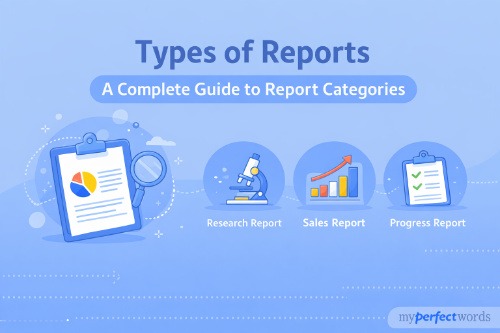
Reports come in different formats depending on your field and purpose. Business reports focus on decision-making and often include market analyses or project updates. Academic reports emphasize research methodology and contribute to scholarly knowledge. Technical reports document engineering or IT projects with detailed specifications. Progress reports update stakeholders on project status.
The writing process is similar across types; you'll research, organize, draft, and revise regardless of format. The main differences are in which sections you include, how formal your tone needs to be, and what kind of evidence you use.
For a complete guide with detailed explanations of each type, examples of when to use them, and discipline-specific requirements, see our article on types of reports.
Step-by-Step: How to Write a Report
Let's break down the complete report writing process into manageable steps. Follow these in order, and you'll move from a blank page to a polished report without the overwhelm.
Step 1: Understand the Brief
Before you write a single word, you need to know EXACTLY what you're being asked to do. Too many students skip this step and end up writing the wrong thing.
Read your assignment instructions carefully, twice. Print them out if that helps. Then identify:
Purpose: Are you informing, analyzing, or persuading? Is this a straightforward presentation of facts, or do you need to make recommendations? The purpose determines your entire approach.
Audience: Who's reading this? Your professor already knows the material, so you're demonstrating your understanding. A business manager needs actionable insights. A general audience needs more background explanation. Your audience shapes your language, depth, and focus.
Specific requirements: Note the word count, required sections, citation style, formatting specifications, and submission format. Also check if you need certain elements like an executive summary, specific data sources, or visual aids.
Deadline and milestones: When is the final due date? Are there checkpoints along the way (outline due, draft due)? Mark these in your calendar now.
Go through the instructions with a highlighter. Mark key requirements, unfamiliar terms, and anything confusing. If something's unclear, ask your professor or supervisor for clarification NOW, not the night before it's due. A five-minute clarification question can save you hours of rewriting later.
Step 2: Plan Your Approach
Now that you know what you need to do, create a realistic timeline. Break your project into chunks:
Research phase: How many days for gathering sources and information?
Outline phase: One day to organize your findings into a structure.
Drafting phase: Several days to write your first draft (more time if it's a long report).
Revision phase: At least two days to edit and improve.
Proofreading phase: Final day to catch errors.
Here's the crucial part: Add 20% buffer time to every estimate. Research always takes longer than expected. You'll hit roadblocks. Adding buffer time means you're not constantly behind. |
Consider your real life. You've got other classes, work, maybe exams coming up. Block out specific times for report work, don't just hope you'll "find time." Treat these blocks like appointments you can't miss.
Also decide what resources you need. Will you need access to specific databases? Time in a lab? Interviews with people? Materials that need to be ordered? Handle these logistics early.
Step 3: Research and Gather Information
Good reports are built on solid information. You need credible sources that support your purpose.
Start with reliable sources:
Academic journals (peer-reviewed research in your field). Use Google Scholar or your university's library database to find these. Peer-reviewed means other experts verified the research before publication. |
Books and textbooks provide comprehensive background and established theories. They're perfect for understanding context and foundational concepts. |
Government and official reports offer reliable data and statistics. Websites ending in .gov, .edu, or official organization sites (.org from recognized institutions) are generally trustworthy. |
Reputable news sources and industry publications can provide current information, especially for business reports. Just verify the source's credibility. |
As you research:
Take organized notes. Don't just highlight or bookmark; actually write down key points, quotes, and data. Use whatever system works for you (notes by source, notes by topic, grid method, outline method). The organization pays off when you start writing.
Track your sources IMMEDIATELY. Write down full citation information the moment you use a source. This saves you from desperately searching for "that article about..." at 2am before your deadline.
Look for specific types of information:
- Background information and context
- Data, statistics, and hard numbers
- Expert opinions and analysis
- Case studies and real-world examples
- Conflicting viewpoints (if relevant)
Evaluate everything critically. Just because it's published doesn't mean it's good. Check: Who wrote this? When? What's their expertise? Is this current enough? Does it have evidence backing its claims? |
Know when you have enough. You don't need to read everything ever written on your topic. Stop researching when you're seeing the same information repeated and you can answer your research question or fulfill your purpose.
For guidance on proper citation practices and avoiding plagiarism, check resources like the Purdue Online Writing Lab which offers comprehensive style guides.
Step 4: Organize Your Information
You've got a pile of research. Now turn it into a report structure.
Group related information by theme or section. If you're writing a business report on marketing strategy, you might group information into: current market analysis, competitor research, customer data, and recommended tactics.
For a lab report, you'd organize by: background theory, experimental setup, observations, and analysis. |
Create a detailed outline matching your report structure. Don't just list section names; include the specific points you'll make in each section. Your outline should be detailed enough that someone else could understand your report's flow.
Here's what a strong outline looks like:
1. INTRODUCTION
- Background: Rising costs in campus dining
- Purpose: Analyze student preferences for meal plan options
- Overview: Survey of 500 students, analysis of spending patterns
2. METHODOLOGY
- Survey design: 20 questions, mix of multiple choice and open-ended
- Sample: Random selection from student body, stratified by year
- Distribution: Online via campus email, 2-week window
- Analysis method: Descriptive statistics, thematic analysis of comments
3. FINDINGS
- 73% prefer flexible meal points over fixed meals
- Average student spends $12.50 per meal
- [Continue with specific findings...]
As you organize, identify gaps. Are you missing data for a section? Do you need more evidence for a claim? Fill these gaps now before you start writing.
Also remove irrelevant information. Just because you spent time researching something doesn't mean it belongs in your report. Stay focused on your purpose. If information doesn't directly support your goal, cut it.
Arrange your points in logical order. Think about what your reader needs to understand first before moving to the next point. Build your argument or explanation step by step.
Step 5: Write Your First Draft
Here's where students get stuck. They sit down to write and immediately try to make it perfect. Don't do that.
Your first draft's only job is to exist. Get words on paper. You'll improve them later.
Start with the easiest section first. You don't have to write in order. Many writers start with Methods or Findings because those sections are straightforward; you're just explaining what you did or reporting what you found.
Save Introduction and Conclusion for last because they're easier to write once you know what the rest of your report says.
Use clear, direct language. Reports aren't the place for fancy vocabulary or complex sentences. Your goal is communication, not impression. If you can say something in simple words, do it.
Keep paragraphs focused. One paragraph = one main idea. Most report paragraphs should be 2-4 sentences. Any longer and you're probably cramming too many ideas together.
Include citations as you write. Don't tell yourself you'll add them later. You won't remember where that statistic came from, and you'll waste time searching. Cite as you go, even if the formatting isn't perfect yet.
Use headings and subheadings liberally. Break your report into scannable chunks. If a section is getting long, add subheadings to organize it further.
Keep sentences relatively short. Aim for an average of 15-20 words per sentence. Long, winding sentences confuse readers. If a sentence runs past 30 words, break it into two.
Voice and perspective matter. For academic and scientific reports, use third person ("The experiment showed..." not "I showed..."). For business or reflective reports, first person is often fine ("I recommend..." or "We found..."). Check your assignment brief if you're unsure.
Don't edit while drafting. Drafting and editing are different tasks. When you're getting your ideas down, ignore typos and awkward phrasing. You'll fix those in the next step. If you stop to perfect every sentence, you'll kill your momentum.
Step 6: Revise and Edit
Now you've got a complete draft. Step away from it for at least a few hours (ideally overnight). Coming back with fresh eyes helps you spot issues you'd miss otherwise.
Revision happens in multiple passes. Don't try to fix everything at once.
First pass: Structure and content
Read through the entire report. Ask yourself:
- Does each section serve its purpose?
- Is information in the right place?
- Are my arguments well-supported with evidence?
- Does the report flow logically from section to section?
- Did I answer my original question or fulfill my purpose?
Move sections around if needed. Add missing information. Delete redundant parts. This is about the big picture. |
Second pass: Clarity and conciseness
Now focus on how you're saying things:
- Can I cut unnecessary words? (Delete "in order to" and just say "to")
- Are there complex sentences I can simplify?
- Do transitions connect my ideas smoothly?
- Is my writing clear to someone who doesn't know my topic?
Read sentences aloud. If you stumble over a sentence, rewrite it. |
Third pass: Grammar and formatting
Finally, handle the technical details:
- Fix spelling, punctuation, and grammar errors
- Ensure consistent formatting (same font, heading styles, spacing throughout)
- Verify all citations are in the correct format
- Add page numbers, headers/footers as required
- Check that tables and figures are labeled and referenced
Use your word processor's built-in grammar checker, but don't rely on it completely. It'll miss things. |
Step 7: Proofread and Submit
Read your report aloud, slowly. Your eyes can skip over errors, but your ears will catch them. Awkward phrasing, missing words, repeated words, they become obvious when you hear them. Use spelling and grammar checkers. Run your report through your word processor's checker. Consider tools like Grammarly if you have access. Just remember these tools aren't perfect; they'll miss context-specific errors. Check against your assignment brief one more time. Did you meet all requirements? Right word count? All required sections included? Correct citation style? This is your final verification. Have someone else review if possible. A fresh pair of eyes catches things you've become blind to. A roommate, classmate, or writing center tutor can spot confusing sections or errors you've missed. Double-check citations and references. Every in-text citation should have a matching reference entry. Every reference entry should be cited somewhere in your text. Check the format one more time.
You're almost done. Don't skip this final step.
For citation style guidance, consult official resources like the APA Style website or your institution's writing center.
Export or save in the required format. If your professor wants a PDF, don't submit a Word doc. If they want a specific file name format, use it. Follow instructions exactly.
Submit early. Don't wait until the last minute. Aim to submit at least 1-2 hours before the deadline. This protects you from upload issues, internet problems, or last-minute tech failures.
After you submit, don't immediately start stressing about it. You did the work. You followed the process. That's all you can control.
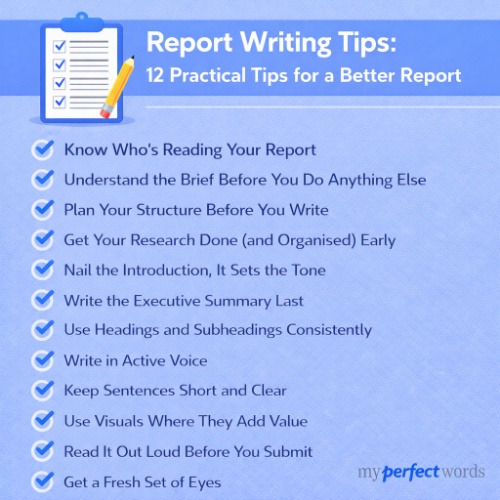
For more actionable advice and quick improvements you can make at each stage, check out our collection of report writing tips.
Short on Time for Your Report?
Our expert writers can handle your report while you focus on exams and other priorities.
Join countless students who trust our service for quality, original reports.
Report Writing Tips for Students
The process above works, but here are some practical tips for making it easier when you're juggling classes, work, and life.
Time Management That Actually Works
Start the day you get the assignment. Even if it's just reading the brief and jotting down initial thoughts, starting early removes the psychological weight of "I need to start that report." You'll also give your brain time to process ideas in the background.
Break the work into daily goals. "Write the report" is overwhelming. "Spend 90 minutes researching today" is manageable. Set specific, small goals and check them off. Progress builds momentum.
Use the Pomodoro Technique if focus is hard. Work for 25 minutes, take a 5-minute break. After four rounds, take a longer break. This makes long writing sessions less exhausting and helps you maintain concentration.
Dealing with Common Student Challenges
Understanding technical jargon: If your assignment uses terms you don't know, ask your professor for clarification. Use glossaries in your textbook or look up academic definitions. Don't guess what terms mean; you'll end up writing the wrong thing. |
Finding quality sources: Use your university library databases, not just Google. Librarians can help you search effectively; that's literally their job. Google Scholar is good for academic sources, but verify everything you find is credible. |
Knowing how much detail to include: Check your rubric if you have one. See what criteria you're being graded on. If the methodology is worth 20% of your grade, spend more time there. Also look at any example reports your professor provided. |
Balancing multiple assignments: Prioritize by deadline AND weight. A report worth 30% of your grade due in two weeks takes precedence over a 5% discussion post due tomorrow. Use a calendar or planner to visualize everything you need to do. |
Creating the Right Writing Environment
Find a quiet space where you can focus. For some people, that's the library. For others, it's a coffee shop with white noise. For some, it's home with noise-canceling headphones. Experiment and find what works for you.
Eliminate distractions actively. Put your phone in another room or use an app that blocks social media. Close unnecessary browser tabs. Tell roommates you need quiet time. Your environment dramatically affects your productivity.
Set specific writing time blocks. "I'll work on my report this week" doesn't work. "Tuesday 2-4pm, Thursday 6-8pm, Saturday 10am-1pm" does. Treat these times like appointments you can't miss.
Getting Unstuck When You're Stuck
Try free-writing without editing. Set a timer for 10 minutes and just write whatever comes to mind about your topic. Don't worry about quality or structure, just get words flowing. You can organize and clean up later.
Talk through your ideas with someone. Explaining your report out loud to a roommate, friend, or even a pet helps you clarify your thinking. Often you'll realize what you need to say just by trying to explain it.
Skip to a different section and come back. If you're stuck on the introduction, write the methods section instead. Sometimes starting with an easier part builds momentum that carries you through the hard parts.
Review examples from your course materials. Your professor probably shared sample reports or published research. Look at how they're structured, what kind of language they use, and how they present information.
Using Feedback Effectively
When you get a graded report back, actually read your professor's feedback carefully. Don't just look at the grade and move on. Their comments tell you what to improve for next time.
Apply lessons to your next report. If your professor said your analysis was too thin, make analysis a priority in your next assignment. Use feedback as a learning tool, not just a grade justification.
Visit office hours for clarification if feedback isn't clear. Professors appreciate students who want to improve. Ask specific questions: "You mentioned my methodology was unclear, can you help me understand what information should go there?"
Looking for examples to guide your writing? See our report writing examples for annotated samples across different disciplines.
Common Report Writing Mistakes to Avoid
Learning what NOT to do is just as important as knowing what to do. Here are the mistakes that trip up most students, plus how to avoid them.
Mistake 1: Writing Like an Essay
Reports need structure and headings; they're not continuous prose. If your report looks like one long block of text, you're doing it wrong.
Fix it: Break your content into clear sections with descriptive headings. Use subheadings when sections get long. Think of your report like a reference document someone should be able to scan quickly, not a narrative they need to read start to finish. |
Mistake 2: Including Irrelevant Information
Just because you researched something doesn't mean it belongs in your report. Stay focused on your purpose. If information doesn't directly support your main goal, cut it.
Fix it: Before including any paragraph, ask: "Does this help my reader understand my topic or answer my question?" If the answer is no, delete it. Being selective makes your report stronger, not weaker. |
Mistake 3: Weak or Missing Evidence
Every claim needs support. "Many people think..." or "Some studies show..." isn't evidence, it's vague hand-waving. Reports require specific data, citations, and concrete examples.
Fix it: Back up every claim with a specific source, statistic, or example. Instead of "Students prefer online resources," write "73% of surveyed students reported using online databases more than print resources (Smith, 2024)." |
Mistake 4: Poor Structure
Putting sections in the wrong order, missing required sections, or using inconsistent formatting makes your report hard to follow and looks unprofessional.
Fix it: Follow the standard structure for your report type. Check your assignment brief for required sections. Use consistent heading styles throughout. Create a table of contents if the report is long. Make it easy for readers to navigate. |
Mistake 5: Last-Minute Writing
Writing your report the night before it's due leads to poor quality, no time for revision, and massive stress. Plus, you'll make more errors when you're rushing.
Fix it: Start early. Even if you just spend 30 minutes outlining or gathering sources each day, you'll be ahead of the game. The biggest quality difference in student work isn't talent, it's time invested. |
Mistake 6: Ignoring the Brief
Not following the word count, missing required sections, using the wrong citation style these are easy mistakes that cost you points unnecessarily.
Fix it: Create a checklist from your assignment brief. Before submitting, go through every requirement and verify you've met it. This takes five minutes and can save you a failing grade. |
Mistake 7: Plagiarism (Even Accidental)
Using someone else's words or ideas without citation is plagiarism, even if you didn't mean to do it. Paraphrasing poorly or forgetting to cite sources counts as plagiarism.
Fix it: Always cite your sources immediately as you write. When you paraphrase, change both the words AND the sentence structure, don't just swap in synonyms. Use a plagiarism checker like Turnitin or Grammarly before submitting. When in doubt, cite it. |
Report Formatting Best Practices
How your report looks matters almost as much as what it says. Professional formatting makes your work easier to read and shows attention to detail.
Font and Spacing
Use a readable font: Times New Roman, Arial, or Calibri at 11-12 point size. Avoid decorative or unusual fonts; they look unprofessional and are harder to read. |
Set line spacing to 1.5 or double, depending on your assignment requirements. Double-spacing is standard for academic work. Single-spacing is common in business reports.
Use 1-inch margins on all sides unless your brief specifies something different. Consistent margins create a clean, balanced look.
Headings and Sections
Use clear, descriptive headings that tell readers what each section contains. "Introduction" is clear. "Background Info" is less clear. "Market Analysis" is clear. "Stuff About Markets" is not. |
Keep heading hierarchy consistent. If you use bold for main headings (H1), use italic for subheadings (H2), and underline for sub-subheadings (H3). Or use your word processor's built-in heading styles, which also help generate a table of contents.
Consider numbering sections if appropriate (1.0, 1.1, 1.2, etc.). This is common in technical and business reports. Check if your field or assignment expects this.
Page Numbers
Include page numbers on all pages, usually at the bottom center or top right corner. Most assignments expect you to start numbering after the title page.
Citations and References
Use ONE citation style consistently throughout: APA, MLA, Harvard, or Chicago. Your assignment brief will tell you which one to use. Don't mix styles.
Include in-text citations every time you reference a source. Put the full reference list at the end of your report. Make sure every in-text citation has a matching reference entry, and vice versa.
Use a citation manager like Zotero, Mendeley, or EndNote if you're writing longer reports with many sources. These tools generate citations automatically and keep everything organized.
Visuals (If Applicable)
If you include tables, charts, or graphs, label each one clearly. Use "Table 1: Student Survey Results" or "Figure 2: Market Share by Quarter."
Number your visuals sequentially throughout the report. Reference each visual in your text ("as shown in Figure 1" or "see Table 3").
Include sources for any borrowed visuals. If you created a chart from someone else's data, cite the data source in the figure caption.
Final Note: Your assignment brief requirements override general formatting advice. If your professor wants something specific, follow their instructions exactly, even if it differs from standard practice.
Using Tools and Resources
You don't have to do everything manually. Here are tools that make report writing faster and easier.
Writing Tools
Microsoft Word or Google Docs are your foundation. Learn to use their features: heading styles (for automatic table of contents), track changes (for revision), comments (for notes to yourself), and citation tools. |
Grammarly or Hemingway Editor help catch grammar mistakes and improve clarity. Grammarly checks grammar, spelling, and style. Hemingway highlights complex sentences and passive voice. Both have free versions that work well. |
Citation managers like Zotero, Mendeley, or EndNote organize your sources and generate citations automatically. Instead of manually formatting 30 references, you click a button. These tools sync across devices and integrate with Word. |
Research Tools
Google Scholar finds academic papers and research across disciplines. It's free and searches millions of scholarly sources. You can see how many times a paper has been cited, which indicates its influence. |
Your university library databases give you access to journals and books your school pays for. JSTOR, PubMed, IEEE Xplore, and others are discipline-specific. Use them; you're paying for access through tuition. |
Planning Tools
Outline and mind mapping tools like MindMeister, XMind, or even a simple bullet list in Word help you organize ideas before writing. Visual learners especially benefit from seeing how ideas connect. |
Project management apps like Trello, Notion, or Asana track your progress. Create a board with columns for To Do, In Progress, and Done. Move tasks across as you complete them. Seeing progress motivates you to keep going. |
Time tracking apps like Forest, Pomodoro timers, or RescueTime show you where your time actually goes. You might think you worked for three hours, but time tracking reveals you worked for 90 minutes with interruptions. This awareness helps you plan better. |
Checking Tools
Turnitin is what most schools use to check for plagiarism. If your school gives you access, run your report through it before submitting. Address any issues it flags. |
Grammarly Premium catches more sophisticated errors than the free version. Many students find the investment worth it, especially during heavy writing semesters. |
Citation checkers in citation managers or services like EasyBib verify your citations are formatted correctly. Use these as a final check before submitting. |
Pro tip: Many universities provide free access to premium tools through your student portal. Check what's available before paying for subscriptions.
Conclusion
Writing reports is a skill you'll use throughout your academic career and beyond. The structure, the research process, the attention to evidence, these fundamentals apply whether you're writing a high school science report or a professional business analysis.
The key is following a process. Break the work into steps: understand your brief, plan your time, research thoroughly, organize your findings, draft without perfectionism, get essay help from professionals, revise systematically, and proofread carefully. Each step makes the next one easier.
Start early. That's the single biggest factor in report quality. When you have time to research properly, think through your structure, and revise thoroughly, your work improves dramatically.
Use the tools available to you, citation managers, grammar checkers, your university library. Take advantage of feedback and learning opportunities. And when you're genuinely overwhelmed with deadlines, remember that professional writing help exists for those moments when life gets too demanding.
You've got this. Every report you write makes you better at the next one. The process becomes faster and more natural with practice. Now you know exactly what to do, so start with Step 1 and work your way through.
Need a Professionally Written Report? Let our PhD experts handle the research, writing, and formatting while you focus on what matters. Rush delivery available in 3-6 hours.